¡Tenemos las mejores aplicaciones Android de 2019! ¡Pruébalas!

La lista de aplicaciones disponibles en Android es interminable. Lo sabemos. ¿Alguna vez te has encontrado navegando por la Play Store buscando aplicaciones nuevas para instalar? Seguro que sí. Y el objetivo siempre suele ser el mismo: encontrar una aplicación interesante, útil y que no ocupe espacio innecesario en la memoria de tu smartphone. Tarea nada fácil. Por ello, en AndroidPIT queremos ayudarte y tenemos la lista definitiva con todas las aplicaciones que necesitas para sacarle el máximo partido a tu teléfono. Y las hemos divido por categorías para hacerte la vida más fácil.
Antes de ir aplicación por aplicación, si te consideras un experto en aplicaciones de Android pero necesitas consejo con respecto a qué juegos instalar, visita nuestro top de los mejores juegos para Android, que vamos actualizando con nuevos lanzamientos y los juegos favoritos de la redacción.
Si tu caso es diferente, pero coincidimos en que tampoco te quieres gastar dinero en apps, visita nuestro top de las mejores aplicaciones gratis para Android.
Aquí está nuestra lista. Accede fácilmente a la categoría que más te interese:
- Nuestras recomendaciones de 2018
- Mensajería: mantente en contacto con los tuyos
- Meteorología
- Mapas y GPS
- Fotos: edita tus capturas como si fueras un profesional
- Reproductores multimedia
- Televisión y entretenimiento
- Para niños
- Música
- Productividad
- Antivirus y seguridad: protege tu dispositivo
- Para personalizar tu smartphone
- Para aprender idiomas
- Siempre en forma
- Para ligar
- Optimización de batería
- Aplicaciones de almacenamiento en la nube
- Navegadores de Internet
- Con acceso root
Nuestras recomendaciones de 2018
A lo largo del año, algunos títulos han sido eliminados de esta lista, ya que se ven eclipsados por nuevos contendientes, o se quedan atrás en cuanto a actualizaciones o características. Aplicaciones más nuevas y mejores han ocupado su lugar. Aún así, algunas aplicaciones se aferran entre las elegidas. Para dar un poco más de espacio a la nueva generación de apps, preguntamos a nuestro equipo editorial para ver qué nuevas aplicaciones cambiaron sus vidas en 2018, y esto es lo que nos dijeron:
Google Trips
Recomendado por David McCourt
La aplicación Trips existe desde ha tiempo, pero en 2018, Google lanzó una gran actualización que mejoró considerablemente esta aplicación. Recoge información de Mapas, Vuelos, Hoteles y Gmail (hay momentos en los que la máquina de recopilación de datos de Google, que todo lo ve y todo lo sabe, es útil) para ofrecer planes de vacaciones a medida.
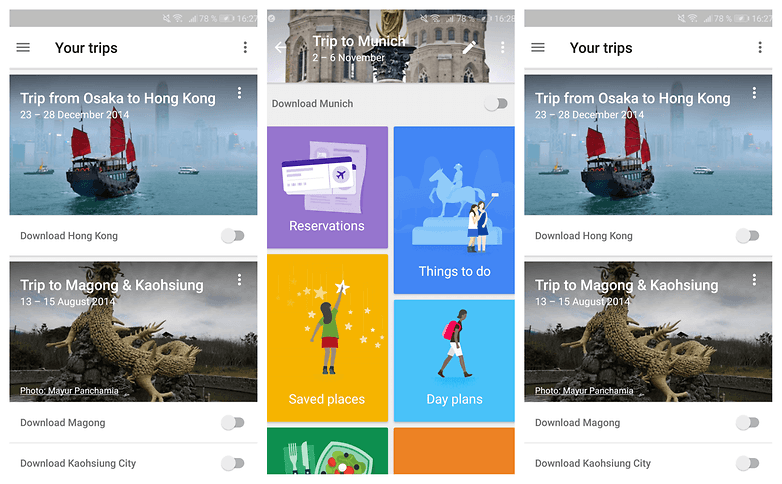
Lo que me encanta de la aplicación es lo bien recopilada que está toda la información. Puedes gestionar todo tu viaje desde un solo lugar, incluyendo una visión general de tus reservas y una lista de cosas que hacer, así como información sobre cómo desplazarte. También puede descargar tus destinos y así poder acceder a todas las funciones sin conexión.
${app-com.google.android.apps.travel.onthego}Calendario Menstrual de Ovulación y Fertilidad Flo
Recomendado por Silvia Santos
Esta aplicación es realmente fácil de usar. Simple y claro. Sólo ofrece la información esencial y no te molesta con mensajes. Registra tu periodo y, si quieres (y para un mejor análisis de tus síntomas), comparte con la app información sobre cómo te sientes (estado de ánimo, actividad sexual, ejercicio, sueño...).
Te ofrece artículos relacionados sobre algunos temas útiles, sobre los que deberías aprender más para mejorar tu día a día con el período y aclara algunos mitos sobre la menstruación.
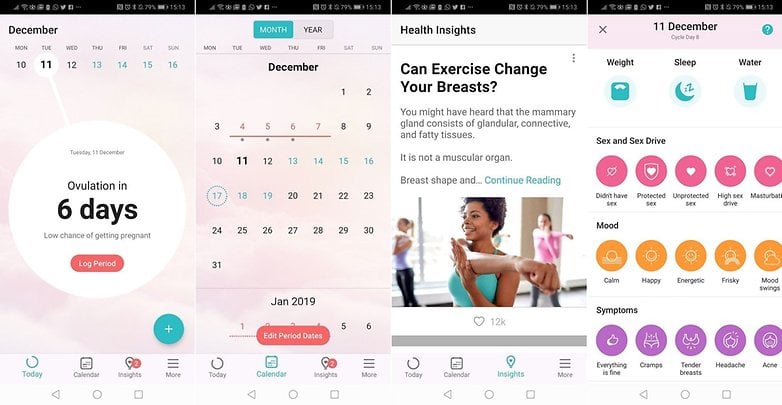
Cuando abres la aplicación te dice en qué fase estás (ovulación, etc.) y también te ofrece datos Así que aparte de tu período, también es una buena aplicación si estás intentando tener un bebé, informándote sobre tus días más fértiles.
${app-org.iggymedia.periodtracker}Siempre en contacto con los tuyos
Que las aplicaciones de mensajería son las más populares no es ningún secreto. Eso sí, cada es elección de cada uno cuál de todas las disponibles usar y qué factores influyen en esta decisión. Puede que prefieras los emoticonos o stickers o quizás estés más concienciado con la privacidad y seguridad de tus conversaciones. Las aplicaciones de mensajería son todo un mundo en el que la gran mayoría ha decidido descargar y utilizar WhatsApp, pero existen Telegram es mejor que WhatsApp.
Aunque a más de uno le duela, la grandísima mayoría de usuarios de smartphones utilizan WhatsApp. Concretamente estamos hablando de unos 1.500 millones usuarios activos, así que si quieres estar comunicado necesitas esta aplicación.
${app-com.whatsapp}Telegram
Cada vez más personas prueban esta aplicación y se quedan, y es que Telegram ofrece lo mismo que WhatsApp, pero con muchas más características, como la posibilidad de enviar archivos mucho más grandes, de hasta 1,5 GB. Los grupos admiten, también, mucha más gente que su competidor. Se trata de una aplicación muy a tener en cuenta.
${app-org.telegram.messenger}
Snapchat
El público de Snapchat nació en los noventa. Si tienes más de 30 primaveras quizá te resulte algo engorroso. La idea detrás de esta aplicación de mensajería/red social es que todo lo que compartas con tus amigos sólo durará unos segundos y nunca más podrás verlo de nuevo.
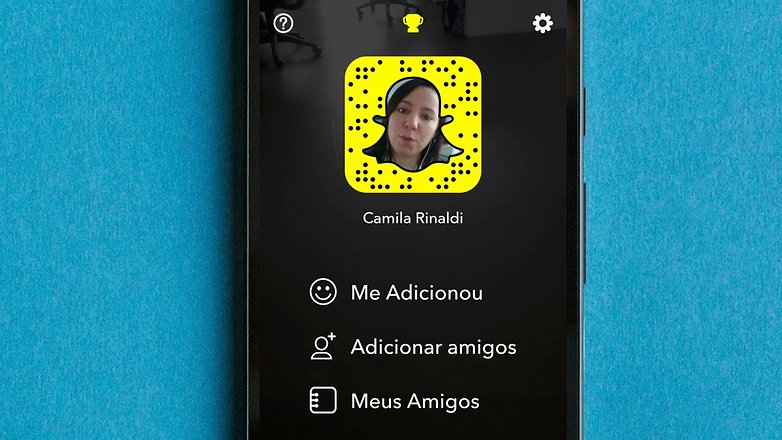
Si eres un viejoven quizá prefieras las clásicas aplicaciones. Lo que es seguro es que no encontrarás a tu madre en esta.
${app-com.snapchat.android}Que el clima no te dé sorpresas
¿Cuántos planes se arruinan por no tener una buena previsión del tiempo? Para que esto no te pase, lo mejor es recurrir a algunos de las numerosas aplicaciones preinstaladas permiten comprobar el tiempo, pero no siempre son completas o demasiado precisas. Dos de las más recomendadas en este ámbito, y también de las más populares, son AccuWeather y Yahoo Tiempo, pero hay muchas más.
Morecast
Esta aplicación usa un algoritmo creado por los propios desarrolladores para predecir el tiempo. Integra datos meteorológicos de miles de estaciones meteorológicas y datos propios.
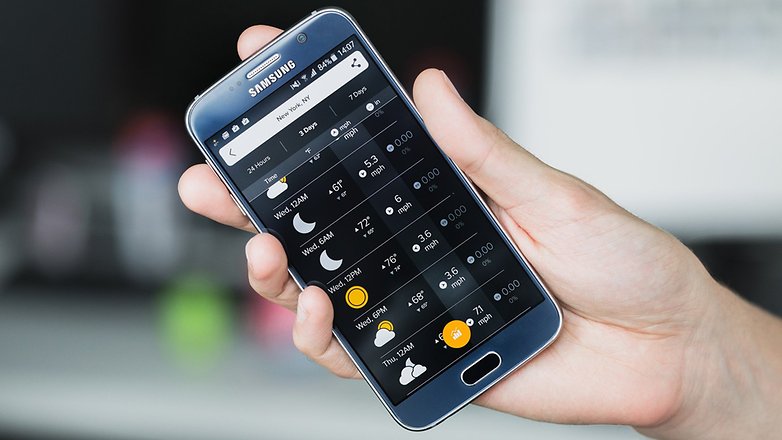
Entre muchas de sus funciones podemos acceder a las cámaras web distribuidas por todo el mundo y ver un vídeo de la situación meteorológica del lugar. También, si vamos a viajar, nos ofrece rutas alternativas para evitar el mal tiempo.
${app-com.morecast.weather}AccuWeather
Probablemente la plataforma más conocida de meteorología, no solo en móviles sino también en dispositivos de sobremesa. AccuWeather cuenta con toda la información meteorológica que necesitas en tiempo real.
${app-com.accuweather.android}Llega a tu destino sin problemas y no vuelvas a perderte
Los usos de un smartphones son muy amplios. Pero, sin duda, uno de los más populares en el día a día es el de los mapas. Con ellos, los que carecen de sentido de la orientación, entre los que me incluyo, pueden utilizar su smartphone para llegar a su destino. Como no podría ser de otra forma, la mejor es Google Maps, aunque existen otras alternativas como Here Maps.
Google Maps
Google Maps no necesita presentación y además se encuentra de serie en cualquier smartphone Android. Con esta aplicación tendremos rápido acceso a todo lo que se encuentra a nuestro alrededor. No es un simple mapa, sino que nos indica tiendas, restaurantes, bares y otras muchas cosas.
${app-com.google.android.apps.maps}HERE Maps
Si Google Maps no te da confianza, existen otras alternativas muy interesantes como, por ejemplo, HERE Maps. Un gran punto a favor de este mapa es que funciona sin conexión a internet y, por tanto, es realmente práctica en varias situaciones.
${app-com.here.app.maps}Waze
Waze es muy interesante puesto que está basada en la comunidad. Esto quiere decir que los conductores comparten la información sobre tráfico y carretera. Además incluye precios de gasolineras para que puedas encontrar la más barata.
${app-com.waze}
¡Patata!
Si hay algo para lo que usemos el smartphone además de para llamar o mandar mensajes es para sacar fotos. Cada vez los sensores de las cámaras son más avanzados, pero el software no siempre cuenta con suficientes funciones de edición o no es tan completo como algunas aplicaciones. Pero tranquilo, puedes jugar con las imágenes todo lo que quieras con estas aplicaciones. Avisamos, solo son una pequeña muestra de todo un mundo.
Prisma
Esta hace que tus fotos de conviertan en verdaderas obras de arte. Como otras muchas apps de edición de fotos cuenta con una gran cantidad de filtros, la diferencia aquí es que estos filtros se han creado siguiendo el estilo de pintores y artistas.
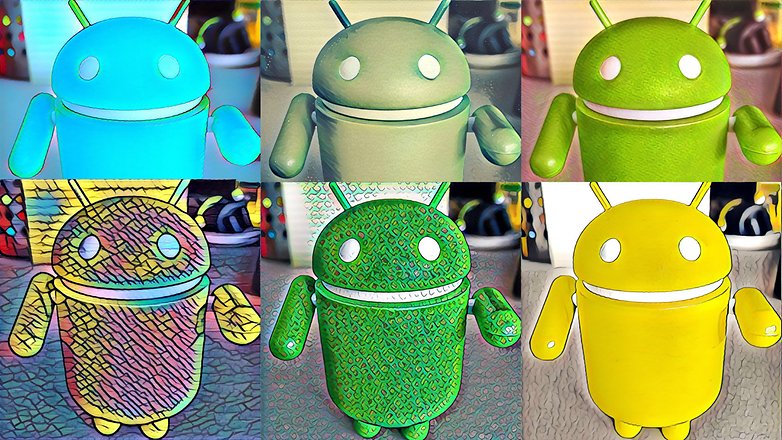
Más allá de estos espectaculares filtros la aplicación no tiene (todavía) muchas más funciones pero merece estar en la lista por sus preciosos resultados.
${app-com.neuralprisma}Snapseed
Google cuenta con su propia aplicación de edición de imagen. Su funcionamiento es sencillísimo y su interfaz no puede ser más clara. Cuenta con varios filtros preconfigurados y numerosas herramientas de edición.
${app-com.niksoftware.snapseed}VSCO
Una de las aplicaciones más populares de edición de fotos es VSCO. Una de las razones por las que se encuentra entre las apps más descargadas es la eficacia de sus filtros prestablecidos y lo fácil que es combinarlos con otros ajustes.
${app-com.vsco.cam}Camera360 Ultimate
Una app muy completa que incluye gran cantidad de funciones, así como más de 200 filtros y nada de anuncios. Algo a destacar es su interfaz de usuarios, muy limpia e intuitiva. Además, incluye la posibilidad de compartir imágenes a través de NFC.
${app-vStudio.Android.Camera360}
Reproductores multimedia
Seguramente no estés satisfecho del todo con el reproductor de serie que trae tu smartphone Android. Básicamente porque no reproduce todos los formatos de vídeos posibles. Por eso, te recomendamos como mejor aplicación para reproducir vídeos las siguientes:
VLC for Android
Ningún tipo de archivo se resistirá con VLC for Android. El prestigioso reproductor presente en PC's se pasa a Android para ofrecernos toda su funcionalidad en nuestro smartphone. Pruébalo, no te arrepentirás.
${app-org.videolan.vlc.betav7neon}Reproductor MX
Uno de los mejores reproductores que podremos encontrar, así como fácil de manejar debido a su sencilla interfaz. Aunque la publicidad puede ser un poco invasiva, la experiencia de uso es magnífica en términos generales.
${app-com.mxtech.videoplayer.ad}Poweramp
Poweramp es uno de los reproductores más populares de Android. Una interfaz de usuario intuitiva, personalización de temas y el soporte de varios formatos son los puntos fuertes de esta aplicación. Si queréis probarla tenéis 15 días, después hay que pagar por el servicio.
${app-com.maxmpz.audioplayer}En Google Play Store encontraremos otras alternativas, como Player Pro, muy defendida por varios de vosotros. Por eso, lo mejor será que echéis un vistazo a este artículo sobre los mejores reproductores de música para Android. En él explicamos los pros y contras de cada uno de ellos.
Además de reproductores también existen aplicaciones de radio para Android e, incluso, aplicaciones para descargar música en MP3. Seguro que encontráis lo que estáis buscando.
Disfruta de tus series y programas de TV favoritos
La forma de disfrutar de la televisión ha cambiado por completo. Y más desde que las pantallas de los smartphones son cada vez más grandes y te permiten disfrutar de tus contenidos multimedia favoritos desde cualquier parte. Por desgracia, en España todavía no disponemos de una buena aplicación en Google Play Store que nos ofrezca varios canales todo en uno (si conocéis alguna, es el momento perfecto para abrirme los ojos). Mi consejo es tener a mano las tres apps principales correspondientes a los canales habituales.
Atresplayer
Esta aplicación te permitirá ver el contenido de las series y programas de televisión de Antena 3, laSexta, Neox, Nova y Atreseries, así como escuchar las emisoras de radio Onda Cero, Europa FM y Melodía FM.
${app-com.a3.sgt}RTVE
RTVE tiene una versión para móvil y otra para tablet, que muestra el contenido optimizado para ese formato. Por si no lo habéis averiguado ya, esta aplicación ofrece el contenido de la televisión pública española y de RNE.
${app-com.rtve.actualidaddos}${app-rtve.tablet.android}MiTele
Esta es la aplicación de Mediaset España. Mitele ofrece el contenido de Telecinco y Cuatro, así como de Divinity, Energy, FDF, Be Mad y Boing para los más pequeños.
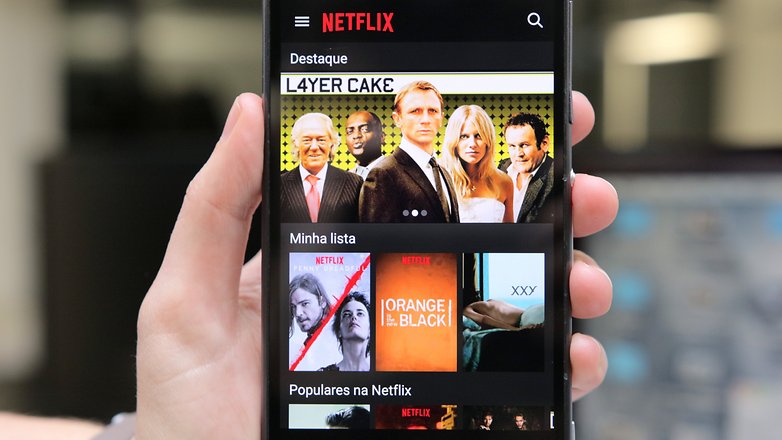
${app-com.mitelelite}Netflix
No es exactamente una aplicación para ver televisión entendida como tal, pero sí la esta nueva forma de disfrutar de ella. Netflix es "televisión a la carta" con un catálogo enorme con una amplia oferta tanto en series, como documentales o títulos de cine. Probablemente la aplicación más popular de entretenimiento a nivel mundial.
Los más pequeños también se unen a la fiesta
Nuestros hijos, hermanos pequeños o sobrinos cada vez tienen acceso más pronto a los smartphones. Por eso, es altamente recomendable tener instalado una aplicación de control parental.
Por otro lado, pensando en su desarrollo, también podemos equipar a nuestro smartphone con las mejores aplicaciones educativas para niños. A continuación algunas de las más recomendables.
iCuadernos Rubio
Los emblemáticos cuadernillos Rubio se han digitalizado y convertido en una de las aplicaciones infantiles más interesantes disponibles en Play Store. Repleta de problemas y actividades, se trata de una app recomendable para niños y niñas que estén en medio de su educación primaria
${app-com.rubio}Inglés para niños
Una excelente aplicación para que los más pequeños puedan familiarizarse con el inglés. Su dinámica es bien sencilla, ya que simplemente recoge una serie de vídeos y ejercicios que ayudan a ampliar el vocabulario.
${app-vn.magik.englishkid}Con la música a todas partes
Los usos de los smartphones son ilimitados. Cada vez hay más, pero los clásicos siempre sobreviven. Escuchar música desde nuestros dispositivos es de lo más común. Y, como probablemente ya sabréis, hay bastantes aplicaciones que nos permiten disfrutar de nuestra música favorita donde quiera que vayamos o incluso adivinar esa canción que está sonando y que no sabes cuál es. Aquí os nombramos un par de las más populares, o de las que más nos gustan.
Spotify
Probablemente la aplicación de música más conocida y usada de todas. Con un buen diseño, fácil e intuitiva y, lo mejor de todo, una enorme selección de artistas, géneros y canciones, Spotify te permite crear tus propias listas de reproducción y estar conectado con otros usuarios.
${app-com.spotify.music}Shazam
Supongo que a estas alturas ya conoces Shazam, pero si has estado en una isla desierta los últimos años te diré que es una de las aplicaciones esenciales en un smartphone. Con Shazam podrás reconocer cualquier canción que suene en cualquier parte. Incluso es capaz de adivinar el tema con un simple tarareo siempre que este sea bueno. Tus descubrimientos se almacenarán en una lista en su pantalla principal y en la pestaña 'Descubre' siempre vas a tener algo nuevo que escuchar.
${app-com.shazam.android}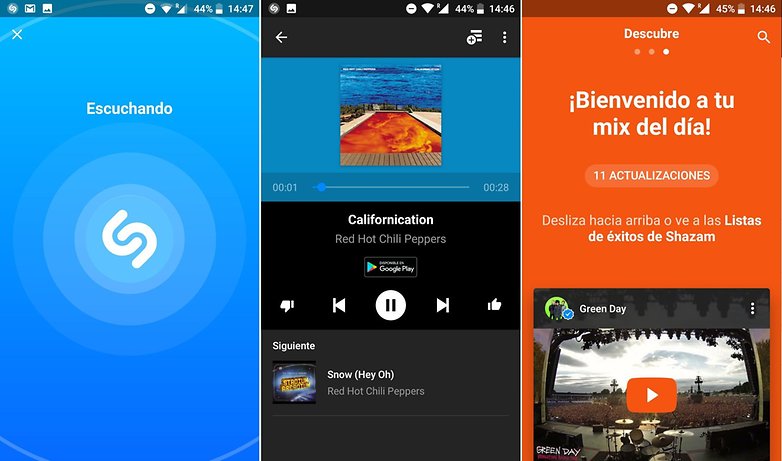
Sácale el máximo partido a tu día
Nuestro Android también se transforma en una herramienta ideal para nuestro día a día. En él podemos encerrar un calendario, una libreta de notas, todos los programas de Office... De entrada os recomendamos WPS Office, muy completa y gratis.
${app-cn.wps.moffice_eng}Pero hay más, para tener una mejor visión de las posibilidades, os invitamos a leer nuestro artículo sobre las mejores aplicaciones para aumentar la productividad.
Google Keep
Existen varias aplicaciones para tomar notas, pero recomendamos Google Keep por su sencillez y eficacia. Entre sus funciones encontramos la posibilidad de compartir nuestras notas con otros, gran variedad de elementos de personalización, recordatorios... Muy útil.
${app-com.google.android.keep}Evernote
Y hablando de notas no podemos dejar de lado a Evernote. Más de un usuario exige que la aplicación esté en la lista y la verdad es que no les falta razón. Es la mejor aplicación de notas que existe, pero hay algunos "peros" que pueden hacer que los usuarios se decanten por Keep. Una de ellas puede ser la creación de una cuenta, aunque tiene cosas muy positivas como la función de chat y su diseño, que es espectacular.
${app-com.evernote}Feedly
No sé vosotros, pero en mi smartphone tengo un auténtico quiosco. Gracias a la conexión a internet y a su pantalla, podemos consultar cualquier noticia o actualización de redes sociales en segundos. Para ello lo mejor es tener un buen lector de feeds. Nuestra recomendación es Feedly. Con esta aplicación tendremos acceso directo a lo que es realmente interesante para nosotros, sin necesidad de perder tiempo buscando en internet.
${app-com.devhd.feedly}
Tranquilo, ningún virus podrá contigo
La seguridad de nuestro Android es muy importante, al mismo tiempo que genera algo de polémica. En Google Play Store existen varias posibilidades y ya hicimos una lista con las mejores aplicaciones antivirus para Android. Ahora es tu decisión si quieres o no instalar una y cuál.
Avast!
Nosotros os dejamos el link de Avast! porque la consideramos la mejor, por ser muy completa y funcional.
${app-com.avast.android.mobilesecurity}Tu smartphone puede ser único
¿Quieres que tu dispositivo no sea igual al resto? Puedes. La mejor forma de personalizar un smartphone es instalando alguno de los paquetes de iconos y alcanzar un nuevo nivel en personalización.
Smart Launcher 5
De entre toda la variedad existente, te recomendamos esta aplicación por ser un lanzador innovador con un diseño diferente y cantidad de recursos.
${app-ginlemon.flowerfree}Nova launcher
Con esta aplicación puedes desde cambiar el tamaño de los iconos el color de la fuente, efectos de animación, gestos, animaciones, diseño del cajón de aplicaciones y un largo etcétera. Es la personalización más profunda que puedes tener sin ser root.
Esta versión es la de pago. Si quieres acceder a la versión gratuita una versión lite está disponible en Google Play Store.
${app-com.teslacoilsw.launcher.prime}No más barreras con el lenguaje, que todos te entiendan
Otras de las funciones de nuestro smartphone es su uso como un diccionario digital o simplemente como herramienta perfecta en la iniciación de algún idioma.
Duolingo
Con esta aplicación podrás aprender cualquier idioma de una forma divertida y práctica. Su método de educación es realmente bueno y hará que progreses sin apenas darte cuenta.
${app-com.duolingo}Babbel
Una gran selección de idiomas y diferentes maneras de aprenderlo. La aplicación de Babel es muy popular, aunque sea de pago. Fácil, sencilla y con muchas opciones. ¡No te quedes sin aprender otro idioma!
${app-com.babbel.mobile.android.en}LEO dictionary
Si estás aprendiendo alemán, seguro que LEO es un viejo conocido. Este diccionario online puede presumir de ser de los mejores con el idioma germano.
${app-org.leo.android.dict}Ahora bien, si lo que quieres es aprender o mejorar tu inglés, también tenemos un top 5 de aplicaciones para aprender inglés.
Siempre en forma
Existen muchas aplicaciones de seguimiento de actividad y que nos ayudarán a mantenernos en forma comprendiendo cada músculo. Os resumimos las mejores aplicaciones de fitness, pero si lo tuyo es salir a correr, entonces te recomendamos la siguiente aplicación como mejor:
Strava
No es solo una aplicación para salir a correr, sino que es capaz de monitorizar todo el deporte que hagas. Esta aplicación es muy completa gracias a sus estadísticas que te ayudarán a comprender mejor tus entrenamientos.
${app-com.strava}Entrenamiento de 7 minutos
Esta aplicaión que ofrece circuitos de entramiento intensos comprimidos en 7 minutos. Ideal si quieres hacer algo de ejercicio por las mañanas pero no tienes demasiado tiempo para hacerlo.
${app-com.popularapp.sevenmins}Aplicaciones para ligar
Hoy en día se puede hacer de todo desde el smartphone, hasta encontrar pareja. No te estamos contando nada nuevo, desde luego, pero cada vez hay más aplicaciones para ligar. La más popular es, sin duda, Tinder.
Tinder
Si a día de hoy no conoces Tinder es porque debes de haber vivido debajo de una roca todo este tiempo. Esta aplicación ha revolucionado no solo el universo de aplicaciones para ligar sino también el mercado de aplicaciones en general. Una vez descargues Tinder, tendrás que iniciar sesión a través de tu cuenta de Facebook, pudiendo sólo subir las imágenes que hayas publicado anteriormente en esta red social, para evitar que existan cuentas falsas dentro de la aplicación.
La razón por la que Tinder se ha convertido en una de las aplicaciones para ligar más populares del momento reside en su simplicidad: solo se nos muestran usuarios que estén geográficamente cerca de nosotros, y para decidir si nos gusta alguien o no, solo es necesario deslizar el dedo hacia un lado o hacia otro. ¿Superficial? Mucho, pero también eficaz.
${app-com.tinder}Aplicaciones de almacenamiento en la nube
No solo de banalidades vive nuestro smartphone. Ahora dejamos a un lado las aplicaciones más divertidas para ponernos un poco más serios. Algo muy necesario para tener acceso a nuestros archivos desde cualquier lugar y en cualquier momento. De entre todas ellas os recomendamos Google Drive.
Microsoft OneDrive
Esta aplicación se integra directamente con otras aplicaciones de Microsoft. Permite el almacenamiento gratuito previo registro de hasta 15GB. Si necesitas más espacio puedes adquirir hasta 1 TB.
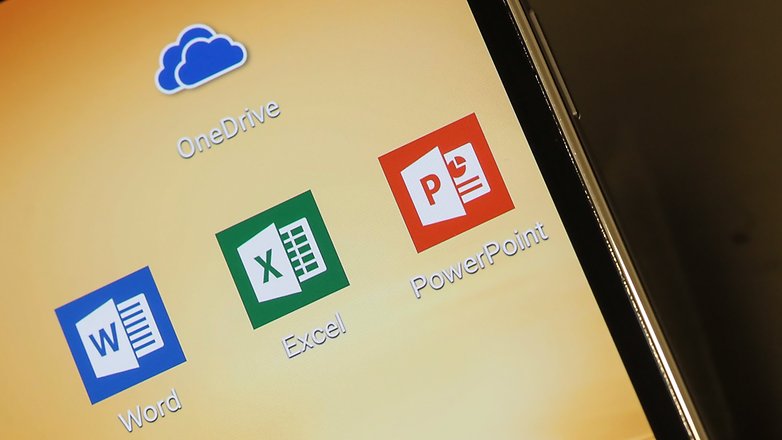
Una de las ventajas de esta app es la sincronización con otras herramienta de Windows, como Word o PowerPoint, lo que nos permite abrir, editar y guardar esos archivos. Una aplicación muy intuitiva y profesional.
${app-com.microsoft.skydrive}Google Drive
Esta aplicación viene de serie en los smartphones Android. Además, Google ofrece buena cantidad de GB extras de manera totalmente gratuita. Por último, cabe destacar su sincronización fácil con Google Docs.
${app-com.google.android.apps.docs}Dropbox
Una de las aplicaciones más queridas del almacenamiento en la nube. Su versión gratuita no ofrece tantos gigabytes de almacenamiento como Google Drive, pero puede servir como versión complementaria, en caso de que necesites almacenamiento extra.
${app-com.dropbox.android}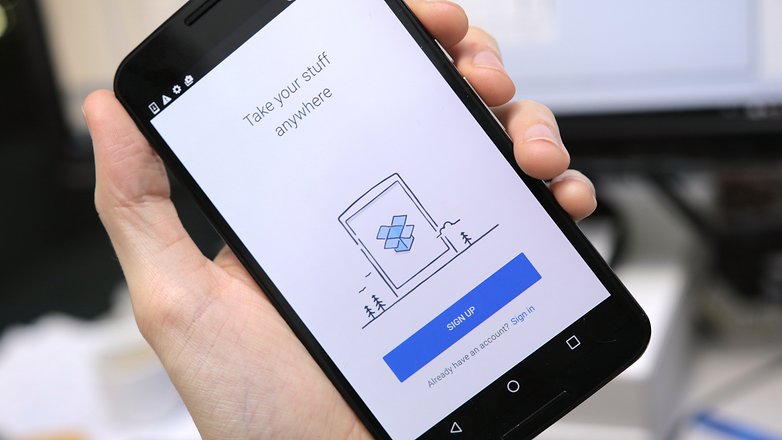
Optimización de batería
Uno de los mayores inconvenientes de los smartphones es la duración de batería. Por suerte tenemos una lista con las mejores aplicaciones para ahorrar la batería que nos ayudarán a conseguir esas horas extras.
Greenify
Desde nuestro punto de vista, Greenify es la mejor aplicación para controlar el consumo de batería. Además, está avalada por la comunidad Android como una de las mejores aplicaciones de su categoría. Su único "problema" es que es únicamente para usuarios root.
${app-com.oasisfeng.greenify}Navegadores de Internet
Nadie está contento con el navegador de serie, aunque puede que sí lo estén con Chrome. Existen muchísimos y por eso os recomendamos leer nuestro top con los mejores navegadores para Android. Ahora bien, si nosotros tuviéramos que elegir uno para vosotros, ese sería Dolphin.
Firefox: el navegador seguro
El famoso navegador se ha actualizado hasta llegar a ser uno de los mejores navegadores que puedas usar. Sin duda el que más apuesta por tu intimida, incluso con una versión para navegar seguros Firefox Focus.
${app-org.mozilla.firefox}Root
Terminamos con las aplicaciones imprescindibles para los usuarios con acceso root. En realidad, muchos usuarios le tienen miedo a dar el paso, pero e el proceso no es complicado. En AndroidPIT encontraréis varios tutoriales para algunos terminales. Una de las ventajas es que podréis utilizar aplicaciones con permisos de root, así como utilizar funciones de otras muchas aplicaciones como sucede con ES Explorer.
¿Qué nos falta? Seguro que muchas, así que no dudéis en ayudarnos a completar la información.
Este artículo se irá actualizando...





bueno la app que siempre uso es
Tinder para conocer gente nueva es muy buena la recomiendo
goapk.org
En edición de imagen añadiría Picsay pro, aunque en su versión plena y completa no está disponible en el Play store.
LOS FABRICANTES LIMITAN EL PIXELADO DE LAS CÁMARAS DE FABRICA Y EL USO DE LA RAM, PUEDO ENSEÑAR COMO FÁCILMENTE PUEDES DUPLICAR LOS PÍXELES DE LA CAM Y LA VELOCIDAD DE TRABAJO DEL PROCESADOR AUNQUE SOLO TENGA DOS NÚCLEOS ES SUFICIENTE PARA DESCARGAR ARCHIVOS DE 5GB EN MENOS DE SEIS MINUTOS Y SI TIENES UN OCTACORE DUAL CAM COMO EL MIO, PUEDO ENSEÑAR COMO CONSEGUIR FOTOS DE 3460X5980 PIXELES SIN PERDER DEFINICION Y EN RESOLUCIÓN 1080 60fps aunque puedo usar 4k pero no es necesario si se mejora el rendimiento del móvil manualmente, y eso de que no se puede desbloquear iPhone u otros móviles, puedo demostrar cuando quieran que ya la privacidad hace tiempo no existe.
Bueno bueno...si una web de tecnologia me recomienda un antivirus para el movil, mejor revalúo mis fuentes de información.
Exacto, no todos los antivirus son eficaces incluso crean problemas, el mejor antivirus es el de fabrica que puedes personalizar para rendimiento adecuado, y eso de los limpiadores de memoria, son un timo y no valen para nada los llamados en inglés cleaner
Aquí os dejo dos:
** Quotizando, aplicación de bolsa muy sencilla para inversores noveles, muy configurable y amigable. Lo mejor, la operativa de 'Mi Cartera', donde puedes tener acciones de diferentes países, diferentes monedas, criptomonedas, etc., todo en la misma Cartera y pudiendo configurar la moneda de la propia cartera. Esta facilidad creo que es la única App que la tiene en todo Google Play.
** EasySanta, aplicación muy útil para realizar sorteos de amigos invisibles (por ejemplo, el día de la Amistad, mañana en Argentina o en Navidades, en cualquier país). Lo mejor, no hay emails, SMS, ni nada por el estilo; sólo necesitamos el teléfono móvil y la App para saber a quién debemos regalar. De las App de amigos invisibles es la que mejor presentación y funcionalidad tiene, según mi opinión.
-
Admin
18 jul. 2018 Link al comentarioInteresantes, y sobre todo las de los comentarios, tengo que probar algunas que no conocía ...
Vaya vaya, realmente tengo muchas de estas apps, buen top.
Creo que se han quedado bastantes en el tintero. Aquí dejo las que más uso: SD Maid, Lucky patcher, MiXplorer, Videoder, C Locker Pro, Piktures, Camera FX, GoVR Player, Google Keep, Month Calendar Widget, Weather & clock widget, TuneIn Radio, Timbre, Pixlr-o-matic y Pixlr, Afterlight, Easy Touch, etc.
De Xposed: Flat Style Bar Indicators, GravityBox, XMultiWindow, Native clipboard y Settings Editor Pro.
Se os ha olvidado hacer referencia a Zensei, es una diario de salud digital respiratoria, contextual e inteligente.
Contextual porque informa sobre polen, contaminación, virus respiratorios y cambios de clima, e inteligente porque utiliza modelos predictivos de inteligencia artificial para saber los niveles para las próximos días y asocia de forma automática factores de entorno con síntomas.
Ha sido especialmente diseñada para asmáticos, alérgicos al polen, personas con EPOC o cualquier que quiera saber si el entorno afecta a su salud.
Actualmente estamos trabajando para que cada usuario entre su propio modelo personalizado de predicción de síntomas.
Os la podéis descargar aquí zenseiapp.com
-
Admin
16 abr. 2018 Link al comentariodeberíais cambiar lo de las 100 activaciones, si la gente no puede probarla, ni ver lo que es capaz de hacer ¿para que la quiere?, tener que esperar a que 100 personas de tu ciudad la instalen ... como no la puedo usar ni veo nada interesante la he desinstalado.
No debería faltar Rolo Contacts. Es la mejor en su tipo, excelente soporte, prestaciones adicionales y perfectamente traducida al español. Si la prueban, se quedan con ella, se los aseguro.
Algunas apps de las que sacaría sería al paquete de Microsoft... esas apps tienen lag hasta en el Pixel 2.
Muy buena lista
Mejores Aplicaciones como: Titanium Backup, Link2SD, SD Maid Pro, L Speed, Mi Drop Pocket...
Solo por nombrar unas pocas la lista podría ser...
-
Admin
26 dic. 2017 Link al comentarioComo me gusta probar todas las app que puedo y/o entiendo (por mis limitaciones con ciertos idiomas, jajaja), aquí os dejo mis "comentarios" por si ha alguien le valen, respecto a la nube, onedrive a la hora de subir ficheros aunque sea de tres en tres, funciona de maravilla, Drive tampoco va nada mal, en cambio dropbox se para a veces.
- Ahorradores de batería, no creo en los milagros, con lo cual no uso ninguno (use uno con mi xperia z1 y se murió del todo ...), con lo cual nunca jamas ...
- Mensajería como siempre la que usan mis amigos, aparte de hangout que me gusta mucho, la pena que aquí en España es poco utilizada.
- Meteorología, ¿para que? si le preguntas a Google y te contesta muy finamente, jajaja.
- Mapas, esta claro Google Maps, y encima activo lo de la voz me gusta que me vaya guiando, parezco un "guiri" cualquiera, jajaja, gire a la derecha a 200 metros ...
- Edición de fotos, jaja, mi perdición (culpa del trabajo), tengo todas las que hay en el mercado (mas de 10), pruebo todas las que veo o salen, aunque siempre termino por utilizar snapseed y vsco, para mi son lo mejor.
- Navegadores, al final me pase a Firefox (acérrimo defensor de Chrome), me resulta mas cuidada su manera de manejar los favoritos o marcadores, y con todos los que tengo, me es MUY NECESARIO.
- Reproductor Multimedia, bien VLC me acompaña hasta en Windows, aunque últimamente ando probando el MX que da muy buenos resultados.
- Televisión, aquí pues las típicas Movistar, Amazon, Rakuten, Netflix.
- Productividad, jajaja, no tengo sitio en esta noticia para todo lo que llevo por el móvil (bueno se puede consultar articulo que hicimos hace tiempo los moderadores de AndroidPit ...) Keep por supuesto; llevo de todo hasta enlace de web, feedly, indispensable la miro todos los días para estar al tanto de lo que sale por la red ...
- Antivirus, yo mismo, aunque después de charlas varias veces con @Roger, llevo instalado Virustotal, jajaja.
- Personalización, de momento ninguno al ser el móvil nuevo llevo el de fabrica (emui) y bueno no esta mal ...
- Idiomas, el traductor de Google, me ha salvado de muchas y ademas como se pueden hacer fotos y te las traduce, pues perfecto ...
- Deportes, Fit que se vincula muy bien con mi smartwatch (por lo menos funciona todavía) y para andar que es lo que hago, kilometros y kilometros, me sobra.
- ¿Root?, pero que es eso, jajaja, ya estoy mayor para esas cosas ...
Algo que si hecho en falta en el articulo, son app's para mover cosas entre teléfonos y/o a pc o a tabletas inalambricamente, no teniendo que usar cables, que últimamente esta muy de moda ...
Un consejo respecto a Google Drive, ojo, comparte tus cosas sin permiso, yo no uso porque tengo una propia, pero si usara alguna, sería cloud
Es File Explorer en mejor app root jajaja.
Por cierto, es verdad que YouTube es una app predeterminada, pero eso no quita que sea de las mejores para Android.
Buenos días,
Desde zeusnet hemos querido ayudar al público con el tema de las garantías. ¿Cuantos de vosotros habéís querido ejecutar una garantía y no encontráis la factura?
Para evitar este problema hemos creado GARANTIZATE, grabaremos todas tus facturas en nuestra app y siempre las tendrás disponibles, importante recalcar que ningún dato que nos facilites será grabado en la base de datos nuestra, todos los datos quedarán en tu teléfono
-
Admin
3 nov. 2017 Link al comentarioHola Jorge, muchas gracias por la app, pero lo importante es, ¿que tiendas aceptan la app?, porque normalmente te la piden en papel, no valen otros medios, ni incluso digitalizada la aceptan ... (que en muchos sitios te lo recomiendan hacer, porque la tinta del ticket desaparece y se borra muy pronto ...)