Las 10 mejores aplicaciones para aumentar tu productividad


El secreto de la productividad reside en la organización, en aprovechar al máximo tu tiempo y tu dinero. Y para ello tu smartphone Android puede ser tu mejor aliado. Tanto para jefes, como para autónomos, empleados o simplemente para organizar tu vida en general y sacarle el máximo partido a las cosas que hagas, hemos hecho una recopilación de las mejores aplicaciones que te ayudarán a aumentar tu productividad.
1.- KeePassDroid
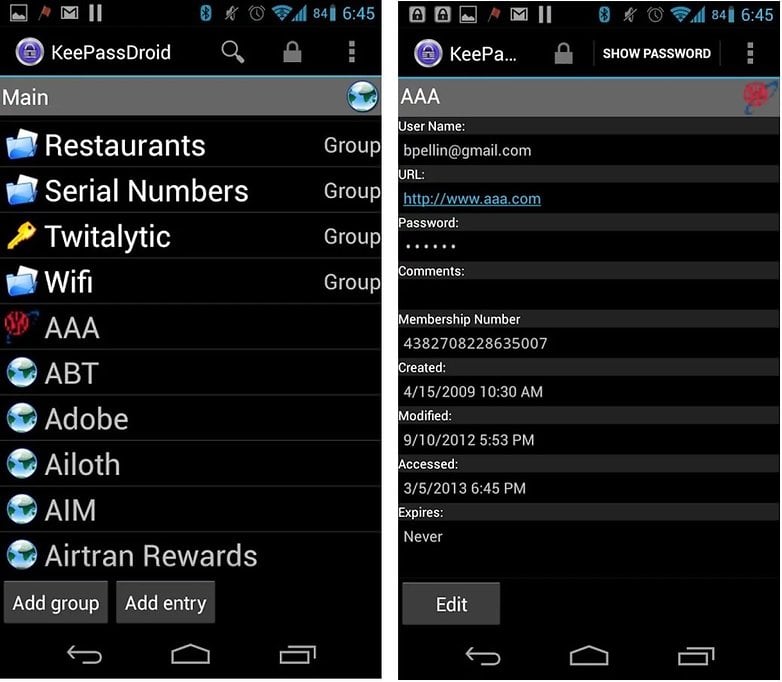
Esta aplicación es la versión Android del famoso contenedor de contraseñas KeePass. Con la aplicación de Android podrás usar todas tus bases de datos de contraseñas. Nunca más tendrás que recordar esas complicadas combinaciones de letras y números, simplemente con pulsar sobre una contraseña esta se copiará al portapapeles y podrás pegarla en el formulario de registro. Para mí la mejor solución es sincronizar tus bases de datos con algún servicio en la nube, como Google Drive, para poner disponer de la versión más actual de tus contraseñas en tu smartphone.
2.- Pushbullet
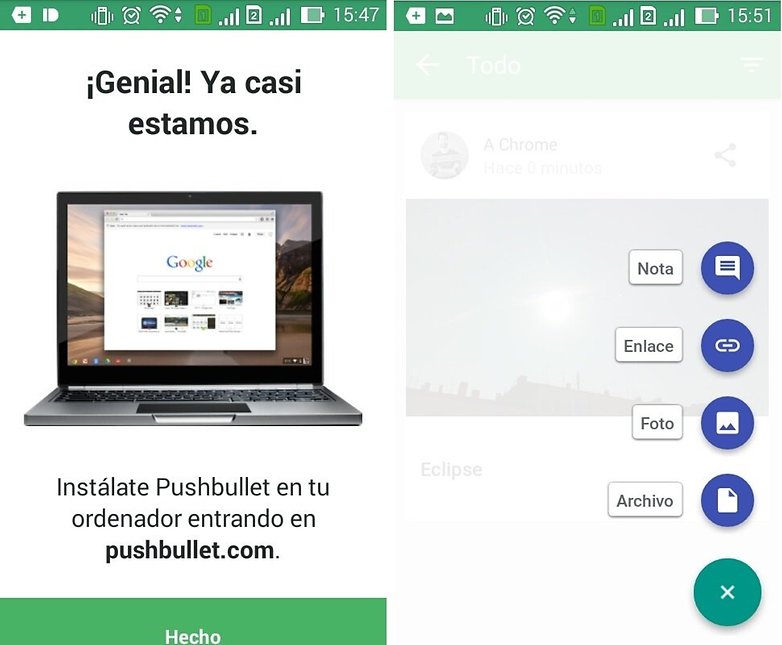
Es la herramienta perfecta para combinar el trabajo entre tu smartphone y tu ordenador. ¿Cómo funciona esta maravilla? Pues muy simple: te instalas la aplicación y te creas una cuenta (o login compatible con Google+ y Facebook), a continuación debes instalar el complemento en el navegador de internet (Safari, Chrome o Firefox) de tu ordenador y ya puedes compartir información. Pero no solo archivos, sino también enlaces y notificaciones que lleguen a tu smartphone.
3.-Trello
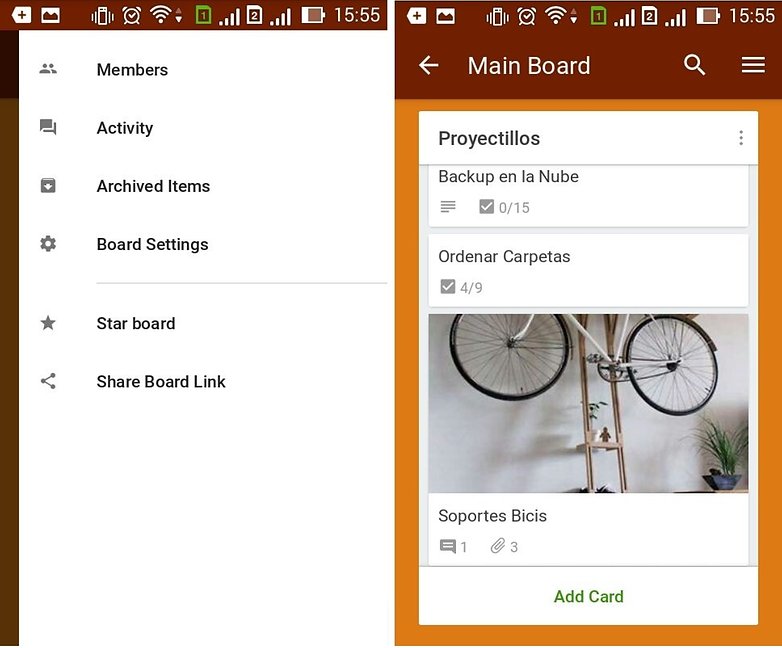
Es un administrador de tareas. Con él puedes desde hacer listas para la compra, hasta organizar un proyecto en una gran empresa o en la asociación cultural de tu barrio. Es gratuita y compatible con su portal web. Se pueden compartir las tareas y las tablas de tareas con otros usuarios para poder organizar el trabajo cómodamente. Tiene checklist, etiquetas, archivos adjuntos, fecha de finalización y la posibilidad de hacer responsable a otros miembros de la tarea a realizar. Cada tarea tiene al final un lugar donde los usuarios pueden dejar sus comentarios, por si han tenido problemas con alguna parte o para simplemente compartir algunas ideas. Si no tienes tu teléfono a mano también puedes usarlo a través de su página web.
4.- Any.do
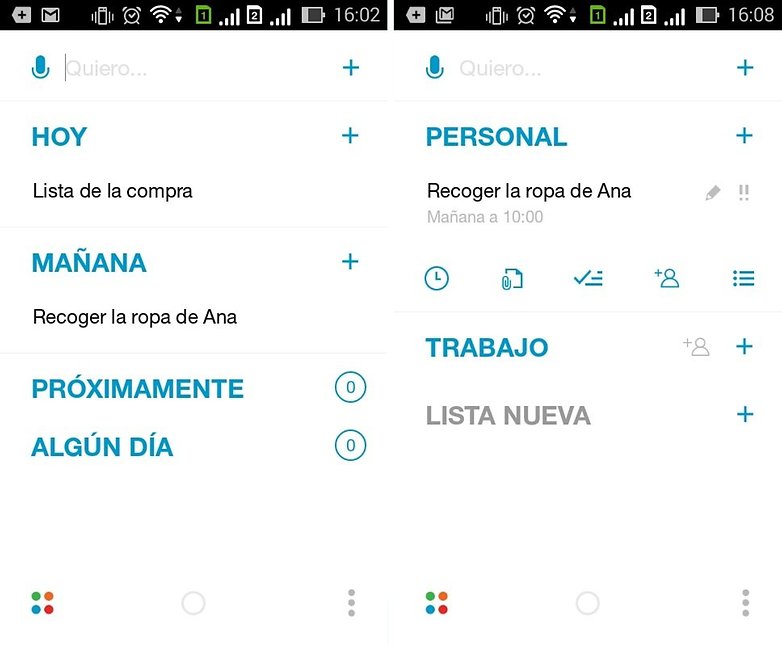
Esta aplicación es también un administrador de tareas, aunque con otro matiz. Puedes organizar tus tareas cronológicamente y la aplicación te avisará cuando debes hacer algo que habías planeado. Cada día por la mañana te pide que le dediques un momento a organizar tu día y te muestra las tareas que tienes pendientes por hacer. Si al final no puedes hacer alguna tarea, no pasa nada, porque la puedes dejar para otro día. También te clasifica las tareas por grupos como, por ejemplo, las personales o las de trabajo. Además, son totalmente configurables. Por supuesto, aquí también puedes invitar a gente a tus tareas e incluso hacerles responsables, si se dejan.
5.- WunderList
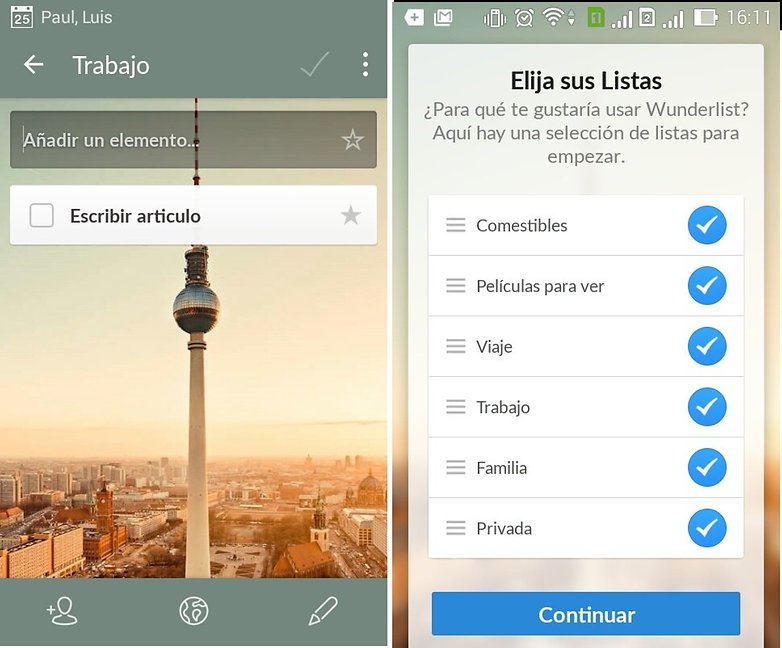
Seguimos con los administradores de tareas. En este caso la organización por temas es aún más marcada y además cuenta con un chat para que los participantes de las tareas puedan comunicarse rápidamente y poder poner en común ideas o resolver problemas rápidamente. También está disponible en su página web para poder organizarte también desde el ordenador. El fondo me encanta porque es una foto del pirulí de Berlín, aunque se puede personalizar. También cuenta con recordatorios, pero aquí los debes configurar para cada tarea.
6.- Podio
Con esta aplicación además de asignar tareas podemos ver el progreso de cada individuo y de cómo lleva a cabo las tareas acordadas a lo largo de los días. Esto puede poner en peligro la fluidez de los trabajos. La aplicación Podio te permitirá organizar reuniones mucho más productivas y organizar un flujo de actividades basadas en lo que se ha acordado conjuntamente. La aplicación se puede integrar con GoToMeeting. Después de la reunión, esta aplicación te permitirá compartir las notas, las presentaciones e incluso asignar tareas para que todos los involucrados puedan seguir su progreso y el del grupo.
${app-com.podio}7.- GoToMeeting
GoToMeeting es una aplicación que te puede ayudar a ahorrar mucho tiempo y dinero en desplazamientos innecesarios para ciertas reuniones. La aplicación te permitirá hacer videoconferencias con hasta 25 usuarios diferentes. El organizador de la reunión puede compartir documentos y asegurarse de que los participantes están siguiendo el meeting.
${app-com.citrixonline.android.gotomeeting}8.- Expensify
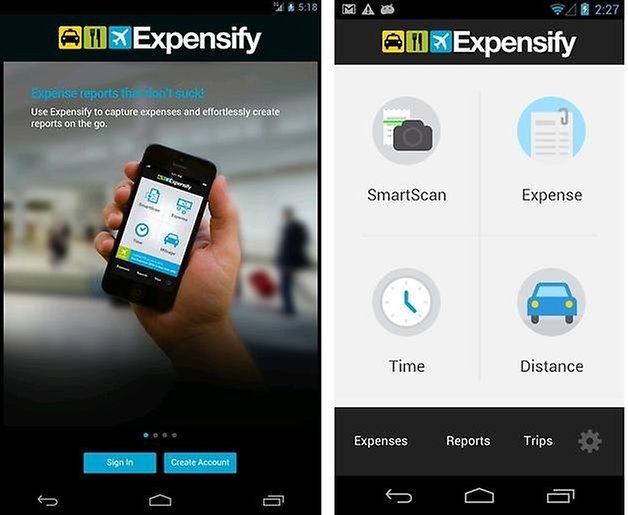
Es difícil registrar los gastos y ordenar todos tus números controlando exactamente a dónde va tu dinero. Lo sabemos. La aplicación Expensify puede ayudarte a organizar tus finanzas. Cada vez que pagues una factura podrás hacer una foto del comprobante y organizarlo todo por categorías. La herramienta trabaja como gestor de gastos, y especialmente para las empresas con sucursales y para vendedores que pasan mucho tiempo fuera de la empresa, puede resultar más que interesante. Con la aplicación, los empleados podrán escanear facturas, recibos y otros comprobantes de gastos. El programa también genera informes en PDF, exporta los datos a Excel, a Evernote y a Salesforce.
9.- WPS Office + pdf
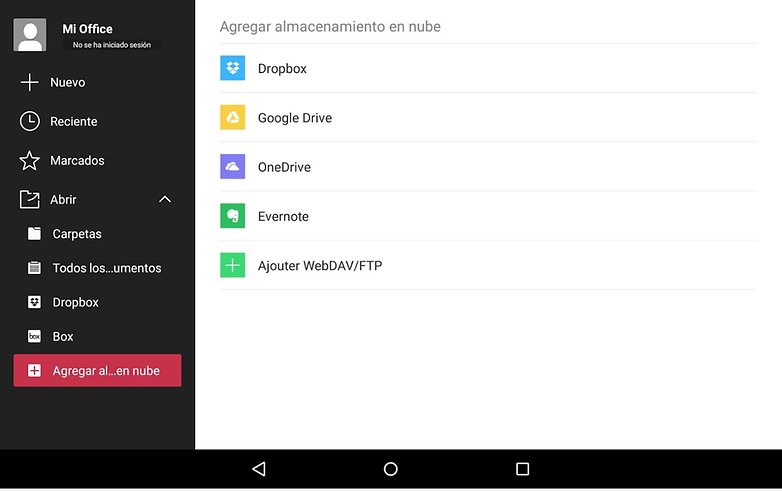
Es una de las mejores aplicaciones en su campo y permite abrir archivos desde un dispositivo móvil, muy útil cuando no tenemos acceso a un ordenador. Es gratuita y con ella podrás crear y editar documentos de Word, hojas de cálculo en Excel y presentaciones en Power Point desde tu smartphone o tablet Android. Además, puedes ver PDF y a adjuntar mensajes de correo electrónico.
10.- ScanBizCards
Si has estado en congresos con mucha gente, participado en ferias, conferencias de negocios u otras convenciones sabrás lo complicado y lioso que es almacenar tarjetas de visita. ¿Cómo acordarte quién es quién? Y no solo eso, encontrar el tiempo para pasar todos los contactos a tu smartphone es todavía más difícil. Y si te digo que Android tiene la solución... Con ScanBizCards podrás escanear las tarjetas (con la cámara de tu teléfono) y añadir pequeñas notas aclaratorias sobre cada contacto.
La aplicación permite capturar los datos de cada tarjeta de visita y automáticamente descargarlos a la agenda del teléfono. Además, estos datos se pueden sincronizar con servicios como Gmail, Evernote, LinkedIn y Outlook.
¡La tecnología está para ayudar y nosotros también! Pero si sabes de otros consejos productivos y de otras herramientas por favor, ¡no dudes en compartirlas!






Muy buen artículo! en mi trabajo ahora estamos usando kanbantool para planear y analizar el progreso de los todos nuestros proyectos. La aplicación es muy efectiva, la usas online, te permite tmb ver las tareas y las personas que las hacen y por eso se puede resolver las problemas más rápido
Hola, una buena selección, en mi caso particular priorizo con Wunderlist, Calendario de Google, Evernote, Keep y MiXplorer. Saludos!
Gracias por el listado!, me llevo varias de aquí que no conocía: PushBullet, Trello, Expensify y ScanBizCards... para llevar un control sencillo de gastos con bonita visual recomiendo CoinKeeper es super amigable para usuarios que no sean muy exigentes y solo quieran guardar totales por categoría. Saludos!
Gracias por el listado! Me parece de gran ayuda! Personalmente uso Kanban Tool (kanbantool.com) que basa su funcionamiento en una pizarra virtual dividida en columnas que reflejan los ciclos por los que pasan nuestras tareas (tarjetas). La interfaz es super sencilla y basta con un vistazo para saber el estado de desarrollo de cada tarea. A mí me gusta mucho la opción de time tracking y la posibilidad de colaborar con otros miembros del equipo en tiempo real.
Les recomiendo también primaerp Time Tracking, es para registro de tiempos en tiempo real. De descarga gratuita. Tiene un cronómetro con el que vas midiendo el tiempo que te tardas en cada cosa y luego genera informes. Además puedes ponerle precio a las tareas para calcular tus facturas automáticamente. Muy recomendable y práctica.
Rodolfo, para ello te recomiendo atimelogger. Se me hace muy versátil y puedes medir el tiempo desde la barra de notificaciones, lo que lo hace más simple. También tiene gráficas.
Saludos.
Luis X. González
Twitter: @efectividad360
Gracias luis por la sugerencia pero creo que mejor me quedo con primaerp Time Tracking. Me parece más completo porque me deja ponerle precio por hora a cada tipo de tarea o proyecto, eso me ahorra muchísimo tiempo después cuando hago mi facturación. De todas formas gracias.
Saludos
Les recomiendo doit.im, es la mejor app para tareas que he encontrado.
La ventaja de la versión en Android es que tiene una captura rápida en cualquier pantalla que estés: habilitando la función en la barra de notificaciones. Si les es suficiente el respaldo cada 24 horas en la versión web, basta con la versión gratuita.
Si como yo eres usuario de la metodología GTD (Getting Things Done), te sugiero no usar la opción de prioridad, las alarmas y su apartado de planear -sólo en versión Pro- pues no se recomiendan para GTD.
Luis X. González
Twitter: @efectividad360
Gracias Luis por el aporte! cuando escribí el articulo busqué esta app pero no me acordaba del nombre, pensaba que era Do.my, pero no. Hace tiempo que leí un articulo de uno de los fundadores, dejó su trabajo en Microsoft y estuvo codeando la aplicación durante 2 años viajando por todo el mundo.
Muy recomendable.
Buen dato Luis, lo extraordinario de la app lo demuestra el hecho de que tiene tiene más de 6,000,000 de usuarios.
Hay que bajar la última versión "Doit.im for Android", pues todavía sigue la anterior ahí.
Saludosl
Excelente articulo, seguid así
SafeInCloud Password Manager es la mejor aplicación para guardar contraseñas y tiene una aplicación para escritorio gratuita. Faltó incluir Evernote
Muchas gracias José Luis por tu aporte, ¿conoces los lápices para sacarle el máximo partido a Evernote? Ehcales un ojo, Jot Script, Airpenpocket y Livescribe.
Buenas herramientas, personalmente uso KeePass, Pushbullet, WPS Office (Excelente), vamos a probar Any.DO y Wunderlist, a ver que tal, gracias y saludos
Buen artículo...