Las mejores aplicaciones y widgets del tiempo

¿Excursión por la montaña, escapada de fin de semana o una ruta en bici por el campo? Sea lo que sea, necesitas saber qué tiempo va a hacer, para llevarte ese jersey nuevo que tantas ganas tienes de estrenar, el paraguas por si llueve o el bañador y la toalla... ¿qué mejor que echar un ojo a las mejores aplicaciones del tiempo?
Accede directamente:
Las mejores aplicaciones del tiempo
Morecast
Esta aplicación es una de las más completas. Usa un algoritmo creado por los propios desarrolladores para predecir el tiempo. Al integrar datos meteorológicos de miles de estaciones meteorológicas y datos propios, consiguen una gran precisión.
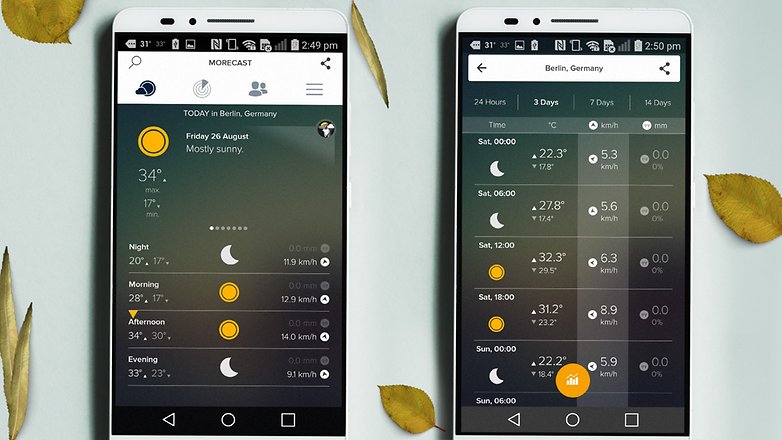
Además de ofrecer la predicción del tiempo por horas, puedes acceder a las cámaras web distribuidas por todo el planeta y ver un vídeo en directo de la situación meteorológica del lugar.
Otra buena característica que ofrece Morecast es que te permite trazar una ruta alternativa para poder evitar el mal tiempo en tu viaje y así viajar más seguro. Una aplicación con tantas funciones que no parece gratuita.
${app-com.morecast.weather}Google Assistant
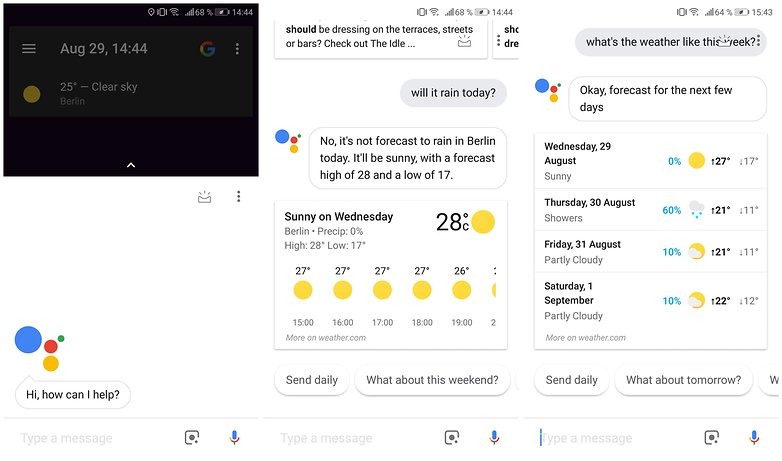
Una de las mejores aplicaciones del tiempo no es realmente una aplicación. Es Google Assistant, el asistente de inteligencia artificial que puede manejar muchas de tus preocupaciones meteorológicas si interactúas con él. Puedes preguntarle al Asistente de Google algo como: "OK Google, ¿cómo será el tiempo hoy?" y recibirás un mini informe. Esto funciona especialmente bien si utilizas Google Home y quieres obtener una actualización del tiempo con el manos libres mientras te vistes o haces las maletas por la mañana. También puedes preguntarle al Asistente cosas como: "¿Qué me pongo en Berlín?" para obtener respuestas relacionadas con el clima o incluso para comprobar la calidad del aire. Sin embargo, no podrás configurar alertas de cambios climáticos a lo largo del día.
The Weather Channel
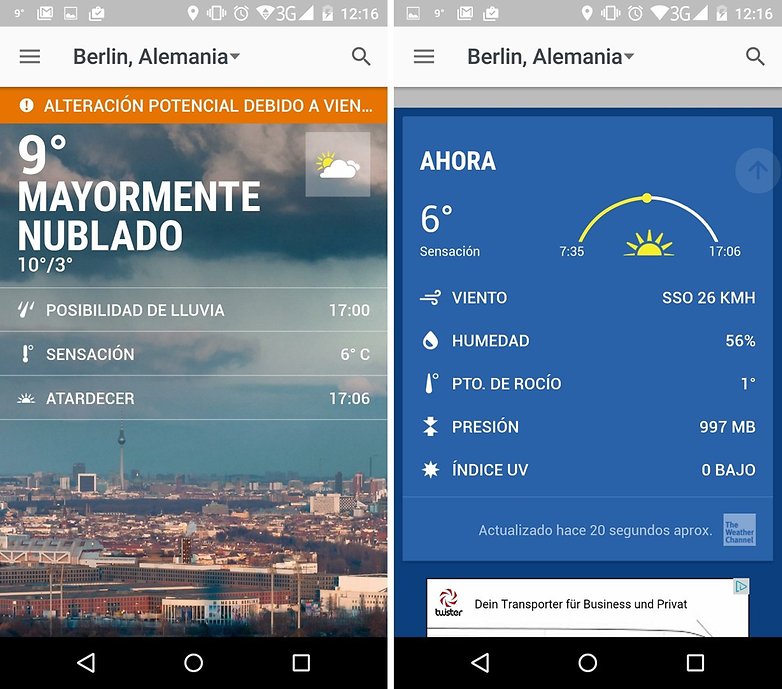
Esta aplicación es de las más populares entre los usuarios de Android. The Weather Channel se ha ganado la fama por ser una app fiable y detallada que pronostica el tiempo por hora, y hasta los próximos 10 días (aunque en este caso pierde fiabilidad).
${app-com.weather.Weather}
Yahoo Weather
Personalmente, Yahoo Weather me parece preciosa, muy bien diseñada, con un grafismo claro y bonito que hace ver todo de forma intuitiva. Tenemos todo lo esperado, temperatura, situación atmosférica, y una previsión hora a hora y de hasta cinco días vista. Debo decir que el porcentaje de acierto es bastante bueno.
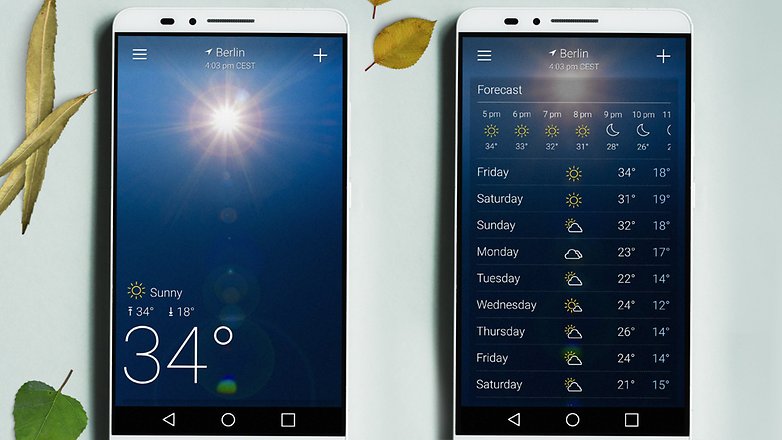
También dispone de un mapa radar donde ver las nubes, al igual que alguno de sus rivales, así como infomación de la posición del sol en cada momento y la hora del ocaso y la salida del sol.
${app-com.yahoo.mobile.client.android.weather}AccuWeather
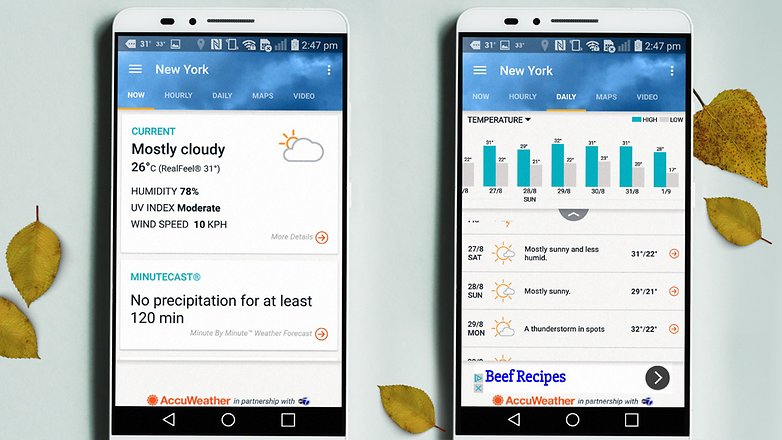
AccuWeather es de descarga gratuita, y además de ofrecer la previsión meteorológica nos alerta en todo el mundo de las condiciones meteorológicas adversas. Muestra los pronósticos divididos por franjas horarias en los próximos 15 días.
${app-com.accuweather.android}
Weather Underground
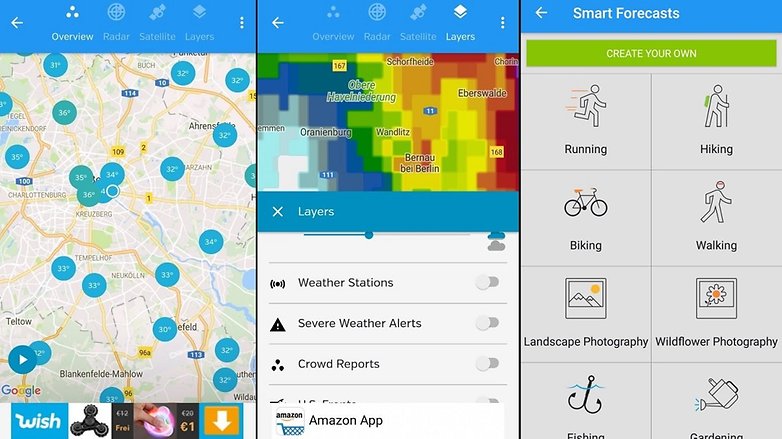
Se autoproclaman como los mejores y que más aciertan a la hora de dar pronósticos, y doy fe de que fallan poco. Weather Undergound ofrece todos los datos necesarios, así como una previsión hora a hora y hasta 11 días vista, lo cual nos permite planificar cualquier cosa que queramos hacer y dependa del tiempo.
Dispone de mapa radar, en el cual también muestra las temperaturas por zonas colindantes a tu ubicación. Datos sobre el sol, la luna, humedad y punto de rocío también son ofrecidos en caso de que te gusta tener aún más conocimiento de la situación atmosférica.
Los mejores widgets del tiempo
eltiempo.es
Es, bajo mi experiencia, la que tiene un ratio mayor de acierto en la predicción. Al abrir la aplicación, no hay una pantalla de inicio como tal, y te lleva a la predicción del hora del día actual. No lo veo mal del todo, pero creo que es más estético tener una pantalla de inicio con diversos datos.
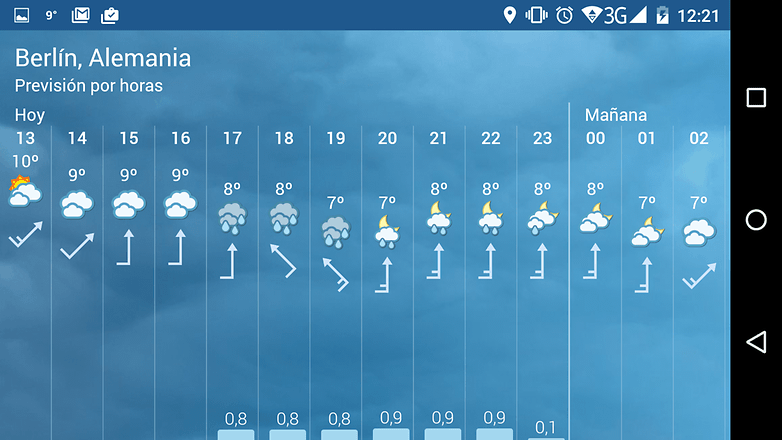
En cuanto a su widget, tiene tanto de tamaño 4x1 como 4x2. Ofrece una información clara y contundente, ni más ni menos. Se lee de forma muy fácil, sobre todo la temperatura, al ofrecer en rojo la máxima y en azul la mínima, así como el viento, su dirección y temperatura, y la cantidad de lluvia, siempre y cuando haya probabilidad de ésta. Para mi gusto, el widget más rápido de leer, y por eso es el que uso.
${app-es.eltiempo.weatherapp}1Weather
Nada más abrir la aplicación, me llama la atención que quizá sea algo infantil estéticamente, pero tras observar con detenimiento, me doy cuenta que la cantidad de información que ofrece es perfecta, y ni siquiera tengo que desplazar la pantalla para leerla toda. De un vistazo vemos la temperatura, la sensación térmica, la probabilidad de lluvia, la visibilidad, presión, viento, índice UV y la probabilidad de lluvia a lo largo del día en curso. En definitiva, todo lo que hace falta saber. Incluye hasta el punto de condensación, ¡me encanta!
De un vistazo vemos la temperatura, la sensación térmica, la probabilidad de lluvia, la visibilidad, presión, viento, índice UV y la probabilidad de lluvia a lo largo del día en curso
En cuanto a los widgets, la cantidad es inmensa, de todos los tamaños, e incluso circulares. Ofrece una variedad muy buena, ya que hay widgets con la información justa, y otros en la que ofrece absolutamente toda la serie de datos como en la aplicación. Para un vistazo rápido son perfectos los que muestran poco, pero para los puristas como yo, que queremos tener toda la información a la vista, también tendremos nuestra opción. Digo, sin miedo a equivocarme, que son los mejores widgets de la lista.
${app-com.handmark.expressweather}Go Tiempo EX
Uno de los widgets más bonitos de la lista, a la par que altamente personalizable. Podrás, si lo deseas, hasta comprar temas diferentes para probar la estética en tu smartphone, aunque los que vienen gratuitos por defecto cumplen muy bien y son muy estéticos.
Además, no es solo un widget, sino una aplicación completa del tiempo. También te permite comprobar el tiempo de los días que están por venir, con un fondo que es dinámico y que se puede modificar.
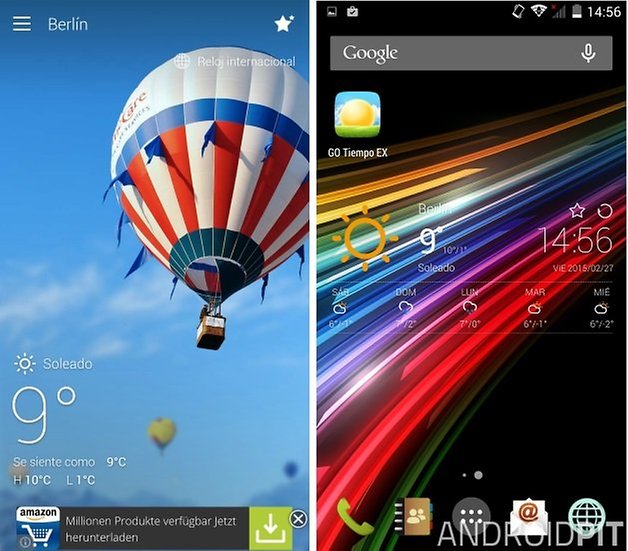
La aplicación es gratuita, pero algunos temas y extensiones sí que cuestan dinero, pero no hace falta comprarlos para tener la máxima utilidad en la aplicación.
¿Con qué aplicación y widget os quedáis vosotros? ¿Cuál acierta más en su pronóstico?





hola soy de Madrid España una aplicación que me ayuda a trabajar con el tiempo
Yo uso SENSE FLIP CLOCK & WEATHER, con un widget altamente configurable en los colores y permite cuatro atajos. El reloj es muy bonito y tiene una gran variedad de ellos. La información del mismo es completa y muy fiable. Al abrirlo tenemos el resto de la información bien detallada y con un radar. ¡Pruébalo!
vale pero que condiciones usa la aplicacion
Soy de Donostia-San Sebastián -Euskadi- (por cierto, la joya de entre las joyas), y para saber el tiempo que va a hacer, nada como tener en “favoritos” la pagina web de EITB (radio-televisión pública Vasca)
Además del mapa con sus solecitos, nubecitas... hace una descripción de cómo va a ser el día.
Si te dice que el día comenzará soleado y que a las 12 horas comenzará a llover, a las 11,59 horas abre el paraguas y no te caerá una sola gota en la cocorota 🤪
Lo “clavan”
Yo soy raro le pregunto a google now/assistant el tiempo que hace, pero no he conseguido nunca que me diga cuanto lloverá, es decir le preguntas si lloverá y te dice si es probable o no, pero cuando hahahaahah te trolea
porque le tienes que preguntar tiempo meteored
Totalmente de acuerdo, Eltiempo.es la mejor.
Hola. Para mi la más completa es SENSE FLIP & WEATHER. Su widget ofrece lo esencial con un bonito reloj, informa la próxima alarma y cada parte escrita se puede usar como atajo para la aplicación que gustes. Se le pueden cambiar los colores y al tocar el sol, las nubes o lo que muestra de acuerdo al clima, te lleva a la más completa información que busques. ¡Pruébenlo!
Yo uso la que viene por defecto "AccuWeather" y es buena.
no